Given a file and assume that you can only read the file using a given method read4, implement a method read to read n characters. Your method read may be called multiple times.Method read4:The API read4 reads four consecutive characters from file, then writes those characters into the buffer array buf4.The return value is the number of actual characters read.Note that read4() has its own file pointer, much like FILE *fp in C.Definition of read4:
Parameter: char[] buf4 Returns: intbuf4[] is a destination, not a source. The results from read4 will be copied to buf4[].
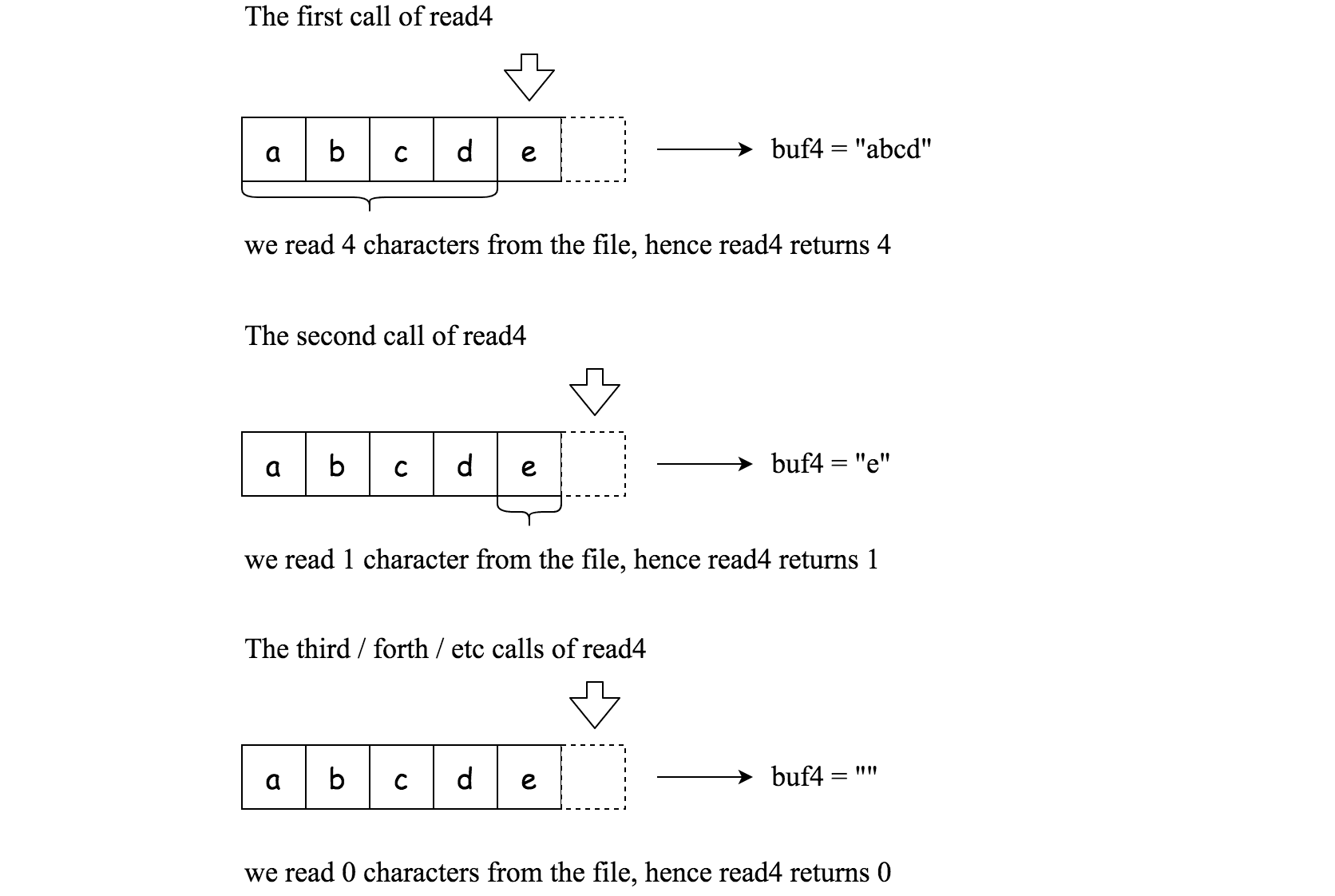
Below is a high-level example of how read4 works:
File file("abcde"); // File is "abcde", initially file pointer (fp) points to 'a'char[] buf4 = new char[4]; // Create buffer with enough spaceread4(buf4); // read4 returns 4. Now buf4 = "abcd", fp points to 'e'read4(buf4); // read4 returns 1. Now buf4 = "e", fp points to end of fileread4(buf4); // read4 returns 0. Now buf4 = "", fp points to end of file
Method read:By using the read4 method, implement the method read that reads n characters from file and stores them in the buffer array buf. Consider that you cannot manipulate file directly.The return value is the number of actual characters read.Definition of read:
Parameters: char[] buf, int n Returns: intbuf[] is a destination, not a source. You will need to write the results to buf[].
Input: file = "abc", queries = [1,2,1]Output: [1,2,0]Explanation:sol.read(buf, 1); // buf should contain "a". We read a total of 1 character from the file, so return 1.sol.read(buf, 2); // Now buf should contain "bc". We read a total of 2 characters, so return 2.sol.read(buf, 1); // We have reached the end of file, no more characters can be read. So return 0.
Input: file = "abc", queries = [4,1]Output: [3,0]Explanation:sol.read(buf, 4); // buf should contain "abc". We read a total of 3 characters, so return 3.sol.read(buf, 1); // We have reached the end of file, no more characters can be read. So return 0.
The read function may be called multiple times; remember to reset your class variables, as they are persisted across multiple test cases.
The destination buffer buf is guaranteed to have enough space for storing n characters.
In this repository the read4 API is provided as the read4(buf4) method of the File class in solution.py, and read receives that File instance as its third argument.